GUIDE — LEARN TOUCH TYPING
How to Learn Touch Typing — How Many Days? A First-Week Plan
- Published
- Updated
- Author
- Typing Musou Developer
How many days touch typing takes depends on what you mean by “learned.” In an experiment that measured how long it took to learn the whole keyboard (72 postal workers), the group averages were roughly 35 to 50 hours. If you practice every day, that is 140 to 200 days at 15 minutes a day, or 35 to 50 days at one hour a day. Learning it in a week is not something this research supports.
What a week can do is the first stage: placing your fingers on F and J and starting to learn the home-row keys. This guide gives the research numbers, then a first-week plan matched to the Home Position Dojo in Typing Musou.
It also covers where the word comes from, what to prepare, and where people get stuck. The developer of Typing Musou wrote this guide, and it includes a description of the dojo. If you are not sure you need to learn it at all, read Is Touch Typing Necessary? first.
HOW MANY DAYS
How many days does it take? What research says
In short, no study answers in days alone. The numbers we know are in hours.
| Stage | Time it takes | Source |
|---|---|---|
| Learning the whole keyboard | Group averages of about 35–50 hours (individuals about 26–54 hours) | Baddeley & Longman 1978 (72 postal workers) |
| Reaching the speeds reported for touch typists | Hundreds of hours of deliberate practice | Stated by Feit et al. 2016, citing earlier literature |
| The first week in this guide | About 1–2 hours in total (10–15 minutes × 7 days) | This guide's plan (calculation) |
Converted to days, if you practice every day, 35 to 50 hours is 140 to 200 days at 15 minutes a day, 70 to 100 days at 30 minutes, and 35 to 50 days at one hour. That is plain division. The experiment did not test whether a 15-minute session works as well as a one-hour one.
Three cautions. The participants were British postal workers who had an instructor and practiced in sessions of one or two hours. They typed postal-code material, not Japanese romaji. And “learned” here means being able to use the whole keyboard, not a practical speed.
One more. Feit et al. (30 people) write that touch typing can be learned fairly quickly, but reaching the speeds reported in the literature takes hundreds of hours of deliberate practice. Think of “learning it” as tens of hours and “getting fast” as hundreds, and the picture becomes clearer.
TERMS
Are “blind touch” and “touch typing” different? Where the word comes from
They mean the same thing. A Japanese dictionary (Seisenban Nihon Kokugo Daijiten) defines buraindo tacchi (“blind touch”) as typing on a keyboard without looking at it, and gives “touch typing” as the equivalent.
“Blind touch” is a wasei-eigo coinage (blind + touch), and English speakers say touch typing (from Kodansha's IT-term dictionary). Research papers in English also write touch typing.
Some people avoid wording that includes “blind.” This site uses “blind touch” because it is in dictionaries and many people search for it, and adds “(touch typing)” next to it. We could not find an official standard for replacing the word.
PREP
What should I prepare before starting?
Set up these three things. You do not need to buy anything.
1. The keyboard you have is enough
You can practice on a laptop's built-in keyboard. For long sessions, the Japanese Ministry of Health, Labour and Welfare guideline says an external keyboard is preferable on a small laptop. Buying one can wait until you know you will keep going. See Choosing a Keyboard for Typing Practice.
2. Chair and screen position
As a guide, set the chair so the angle between upper arm and forearm is 90 degrees or more, and keep the screen roughly 40 cm or more away (Ministry guideline). Details in Typing Posture and Wrist Position.
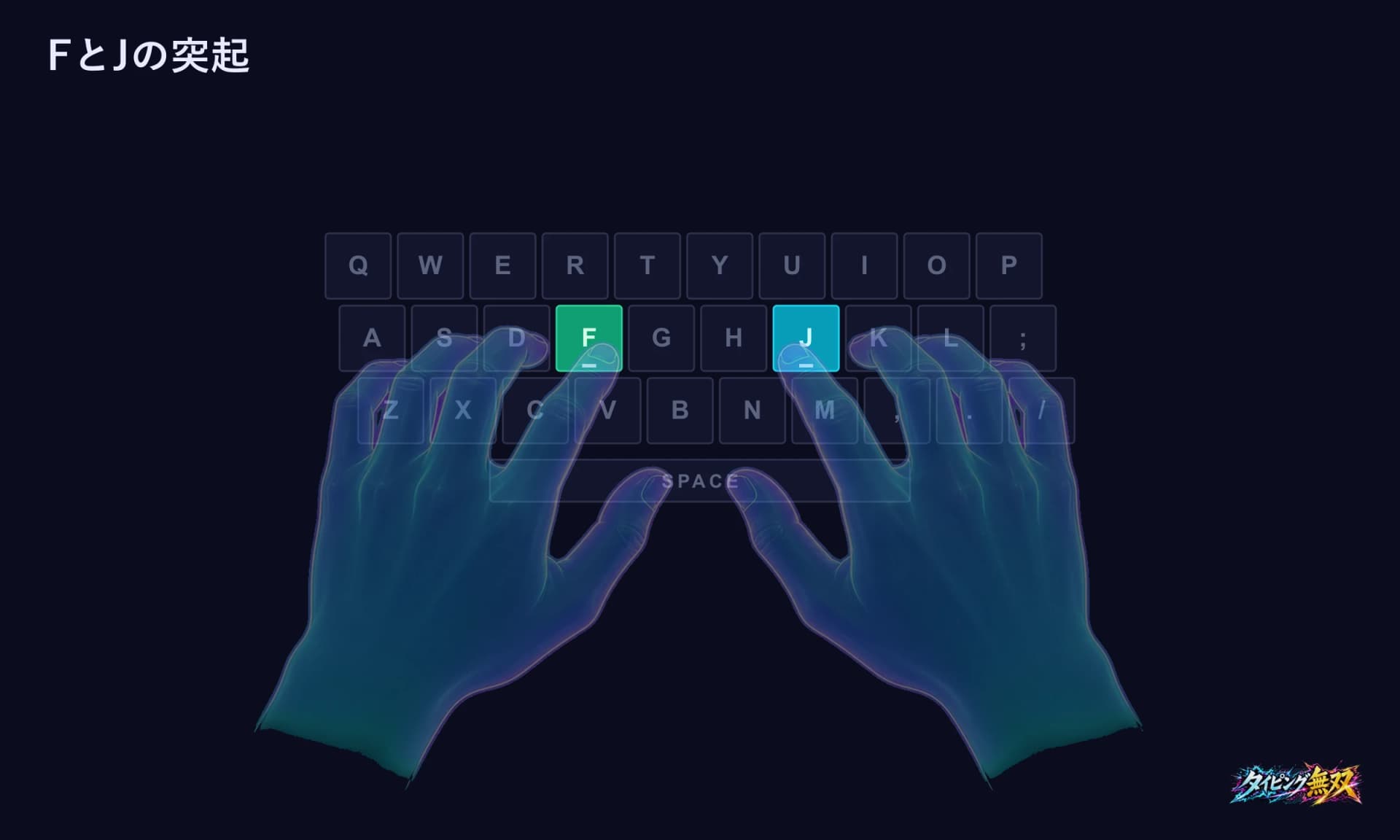
3. Find the bumps on F and J with your fingers
Check that your index fingertips can feel the bumps on F and J. If you cannot find them on your keyboard, Home Row Position Diagram explains how to locate the keys.
FIRST WEEK
What do I do in the first week? A 7-day plan
The plan is to work through the Home Position Dojo in order, 10 to 15 minutes a day. A week adds up to roughly one to two hours, a few percent of the 35–50 hours in the research. It is not an assignment to finish in a week; it is a plan for the first step. Falling behind is fine.
The measure of progress is not the number of stages but whether you can return your fingers to home without looking. If you do not finish in a day, continue the next day. The dojo opens the next stage when you clear the previous one.
| Day | What to do | Dojo stages | Check |
|---|---|---|---|
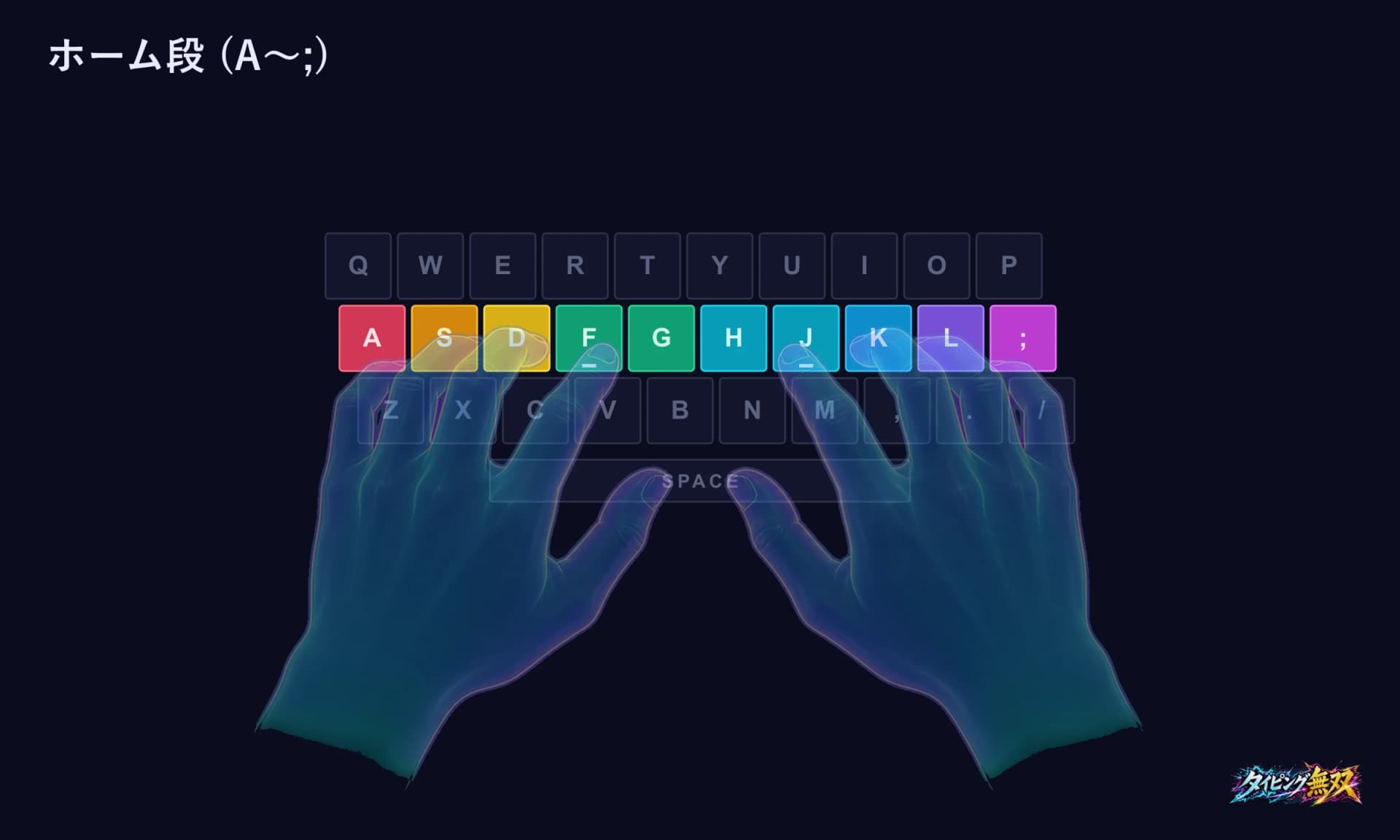
| Day 1 | Setup; F, J, and the middle fingers | Chapter 1, Stages 1–4 (F·J, D·K) | With your eyes closed, your index fingers land on the bumps of F and J |
| Day 2 | Add the ring fingers and the left pinky | Stages 5–7 (S·L, A, the whole home row) | You can type A S D F and J K L with the right fingers |
| Day 3 | Stretch the index fingers sideways; finish Chapter 1 | Stages 8–10 (G·H, first words, sandbag fight) | You return to F and J after each key |
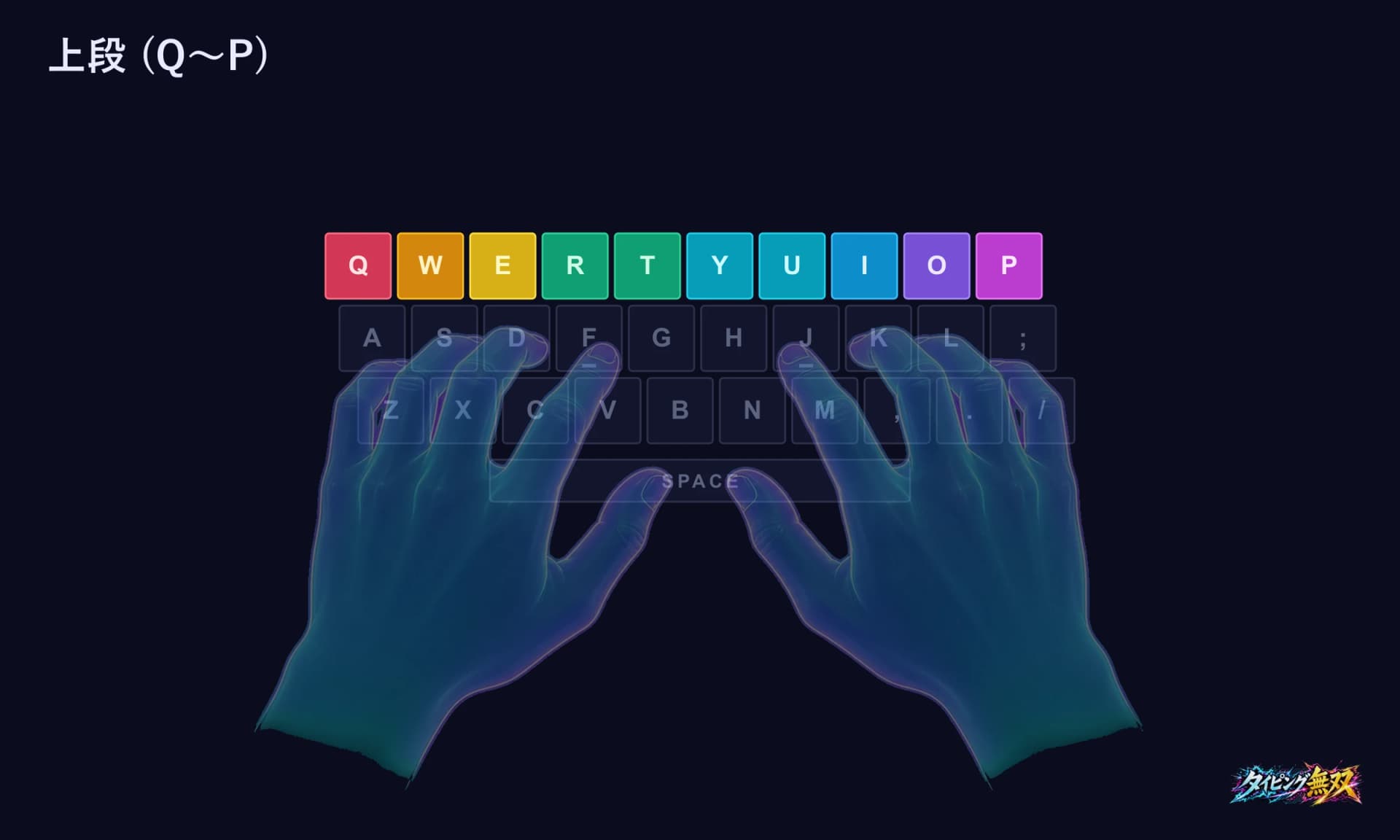
| Day 4 | Learn the vowels | Chapter 2, Stages 11–14 (U·I·E·O) | You can name where all five vowel keys (including A) are |
| Day 5 | Vowel review | Stages 15–20 (from the vowel march to the Samurai) | You can type ka/sa-row and ha/da-row words with the right fingers |
| Day 6 | Add T, R, and W | Chapter 3, Stages 21–26 (ta row, ra row, wa) | You return to home after reaching for the top row |
| Day 7 | Look back | Replay earlier chapters, then a Speed Trial or Mock Combat stage 1 | You can write down which keys trip you up |
Tips for each day
Looking at your hands is fine at first
On the dojo's first stage, the master says, “For now, you may look at your hands.” Early on, while you learn positions, checking by eye is fine.
Return to home after every key (Days 2–3)
In Stage 7 the master teaches returning to home position after every keystroke, and in Stage 8 the watchword is “go out, come back.” In Stage 6 too, the right pinky only rests on ; and does not type yet.
Day 7 review
The Speed Trial is a 60-second contest of how much damage you deal to a sandbag. The result shows the damage plus accuracy, max combo, and miss count. Mock Combat's first stage is a CPU at 5 WPM; beating it opens the next stage. Both give you a marker to compare with a week ago.
PITFALLS
Where do people get stuck?
You want to look at the keys
Wanting to look is natural, and checking by eye is fine early on. In a study of 30 people (Feit et al. 2016), though, one difference between people who had learned touch typing and those who had not was time spent looking at the keyboard (about 20% versus about 40% of typing time). Cutting down on glances little by little is enough.
You feel slower
People who typed their own way are said to feel slower for a while right after switching. We could not find research confirming it, however. On days the numbers bother you, finish that day's practice and continue the next day.
Practicing for long stretches on one day
For the same number of practice hours, shorter daily practice worked better. In the postal workers' experiment, the group that trained once a day for one hour needed the fewest hours (an average of about 35), and the group that trained twice a day for two hours needed the most and left more errors uncorrected (about 50 hours). We could not confirm any study of whether 10–15 minutes is the ideal session. How to split practice across days is in How Much Daily Practice?.
There was a long gap
In the same experiment, retesting one, three, and nine months after training showed speed about 30% lower. After a gap, the developer thinks replaying an earlier chapter before moving on helps you recover. Research has not tested that.
WHAT NEXT
What comes after the first week?
After the first week you are still partway through learning the whole keyboard. Three guides for what to do next:
Keep going a little every day
At a set time, every day. The dojo adds new keys as you advance: N and M arrive in Chapter 4, Y, Z, B, and P in Chapters 5–6, and the remaining keys and punctuation in Chapter 7.
Watch your accuracy as you go
The Accuracy Drill asks for 10 words with no mistakes, and ends at the first missed key. It shows whether you are rushing.
Measure speed with a separate yardstick
WPM benchmarks are in Average WPM & Benchmarks. Mock Combat is a ladder of CPUs that gets 3 WPM stronger per stage, starting at 5 WPM.
FAQ
FAQ
Q. Can I learn touch typing in a week?
Learning the whole keyboard looks hard to do in a week given the research numbers (group averages of about 35–50 hours). In a week you can place your fingers on F and J and begin learning the home row and the vowels.
Q. How much should I practice each day?
We could not find research showing that 10–15 minutes is best. The experiment showed that the group training once a day for one hour needed fewer hours to learn than the group training twice a day for two hours. How to space out daily practice is in How Much Daily Practice?.
Q. If I skip a few days, do I start over?
No. The dojo records the stages you have cleared. After a break, I think restarting from the chapter before where you left off helps you get back into it (research has not tested this). If you play as a guest, you can only recall your records from the same browser.
Q. Is a laptop's built-in keyboard okay?
You can practice on it. For long sessions, an external keyboard is preferable (Ministry of Health, Labour and Welfare guideline). If you cannot find the bumps on F and J, try the methods in Home Row Position Diagram.
Q. Do I need to learn touch typing at all?
In research, some people who had not learned it typed fast. But people who had not learned it tended to spend more time looking at the keyboard. The answer depends on whether you want to keep your eyes on the screen. See Is Touch Typing Necessary?.
SUMMARY
Summary: count hours, not days
Learning the whole keyboard took roughly 35 to 50 hours on average per group in research, and reaching a skilled typist's speed takes hundreds of hours of deliberate practice. In days, that is 140–200 days at 15 minutes a day, or 35–50 days at an hour a day.
The first week is a plan to place your fingers on F and J and start learning the home row and the vowels, matched to Chapters 1–3 of the dojo. Falling behind is fine. Start with Day 1: F and J.
SOURCES
Sources
I checked the research figures and the dictionary wording against the full texts below on October 18, 2026. The Kotobank page and the MHLW guideline are in Japanese.
- Baddeley AD, Longman DJA. (1978) The influence of length and frequency of training session on the rate of learning to type. Ergonomics 21(8), 627–635. — 72 postal workers. Hours to learn the whole keyboard: Table 1; the 30% loss: Abstract
- Feit AM, Weir D, Oulasvirta A. (2016) How We Type: Movement Strategies and Performance in Everyday Typing. CHI ’16. — “hundreds of hours of deliberate training”: Introduction; gaze: Results
- Kotobank, entry “ブラインドタッチ” (Seisenban Nihon Kokugo Daijiten; IT yōgo ga wakaru jiten)
- Ministry of Health, Labour and Welfare (Japan), Guideline for Occupational Health Management in Information Device Work (Notification 0712-3, July 12, 2019; partly revised by Notification 1201-7, December 1, 2021), text and commentary — laptops: text p. 6; posture: commentary p. 24
- The dojo stages and lines, and the specs of Speed Trial, Mock Combat, and Accuracy Drill, come from Typing Musou's screens and code (as of October 18, 2026)